
3. Position Field
The Position Field is the second of Auto Remesh's two solved fields — it decides where actual mesh vertices will land. It only becomes available once the Orientation Field has been solved at least once.
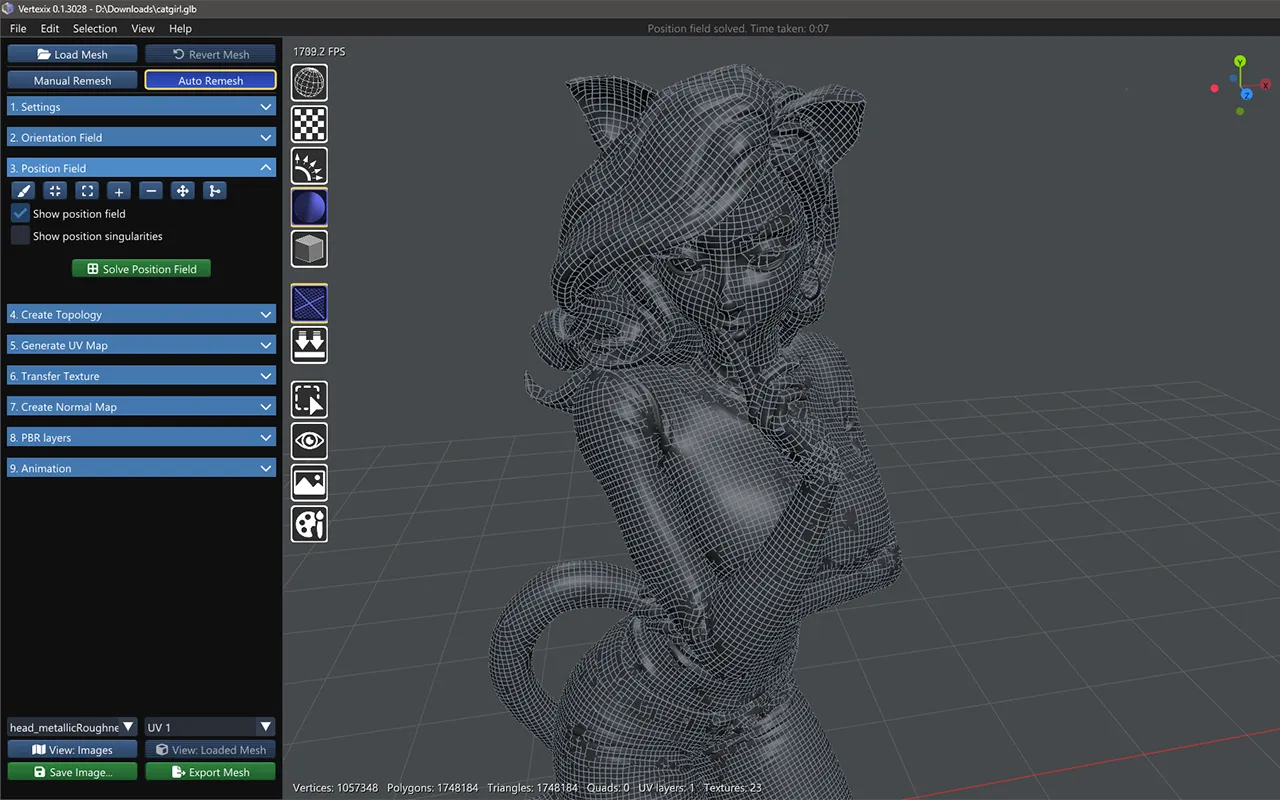
Model by SculptEon
Tools
- Edge Brush — drag to pin the grid along an edge.
- Attractor — Quads (4-RoSy, 4-PoSy) mode only. Click empty space to drop a pull point; drag left/right to weaken or strengthen it.
- Repel — same restriction, the opposite effect: pushes the grid away from a point.
- Add / Remove / Move Singularity — icon buttons for direct singularity edits.
- Merge — right-click-drag a lasso and every singularity caught inside, pinned or natural, merges into one at their combined centroid.
A stroke count and Clear strokes button appear once you've made at least one stroke.
Show position field & Show position singularities
Two checkboxes controlling the field grid overlay and the singularity marker overlay, independent of any tool being active.
Solve Position Field
Gated on the Orientation Field already being solved. Computes where the new mesh's vertices will actually land, ready for Create Topology.