
4. Create Topology
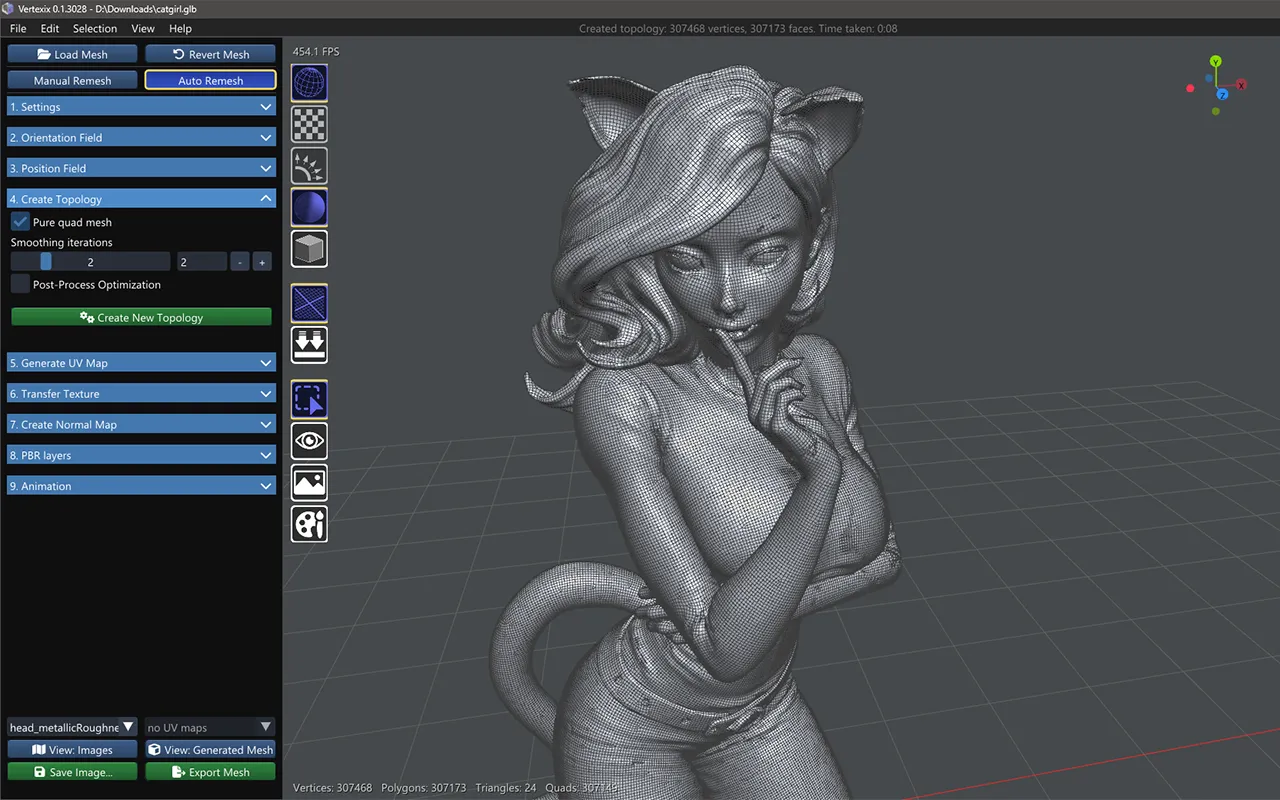
Model by SculptEon
Controls
- Pure quad mesh — splits every non-quad face by midpoint subdivision so the output is 100% quads.
- Smoothing iterations — 0–10 passes of Laplacian smoothing plus BVH reprojection on the extracted mesh.
- Post-Process Optimization — reorders the created topology's vertex buffer for GPU memory-fetch locality after extraction.
- Keep original UVs — the new topology comes out already wearing the loaded model’s own UV layout, carried across island by island, so the textures already made for the model fit it with no bake, and the new mesh shows them at once. It runs on its own as soon as the topology is made (the status line says when it is done); Generate UV Map is not involved. It reads the model’s current UV channel, and a material with no UVs there is left without a UV map. The same transfer is also one of Generate UV Map’s algorithms, Keep Original UVs.
Create New Topology
Under Auto Remesh, this is a one-shot extraction: it's enabled once the Position Field has been solved, and produces the whole created topology from the solved fields in a single pass. This is different from Manual Remesh's own version of the same button, which is re-runnable and scoped to whatever's selected in Selection Tools.
Once you have a created topology, continue to Selection Tools to pick which materials to work on next, or straight into Generate UV Map.