
2. Orientation Field
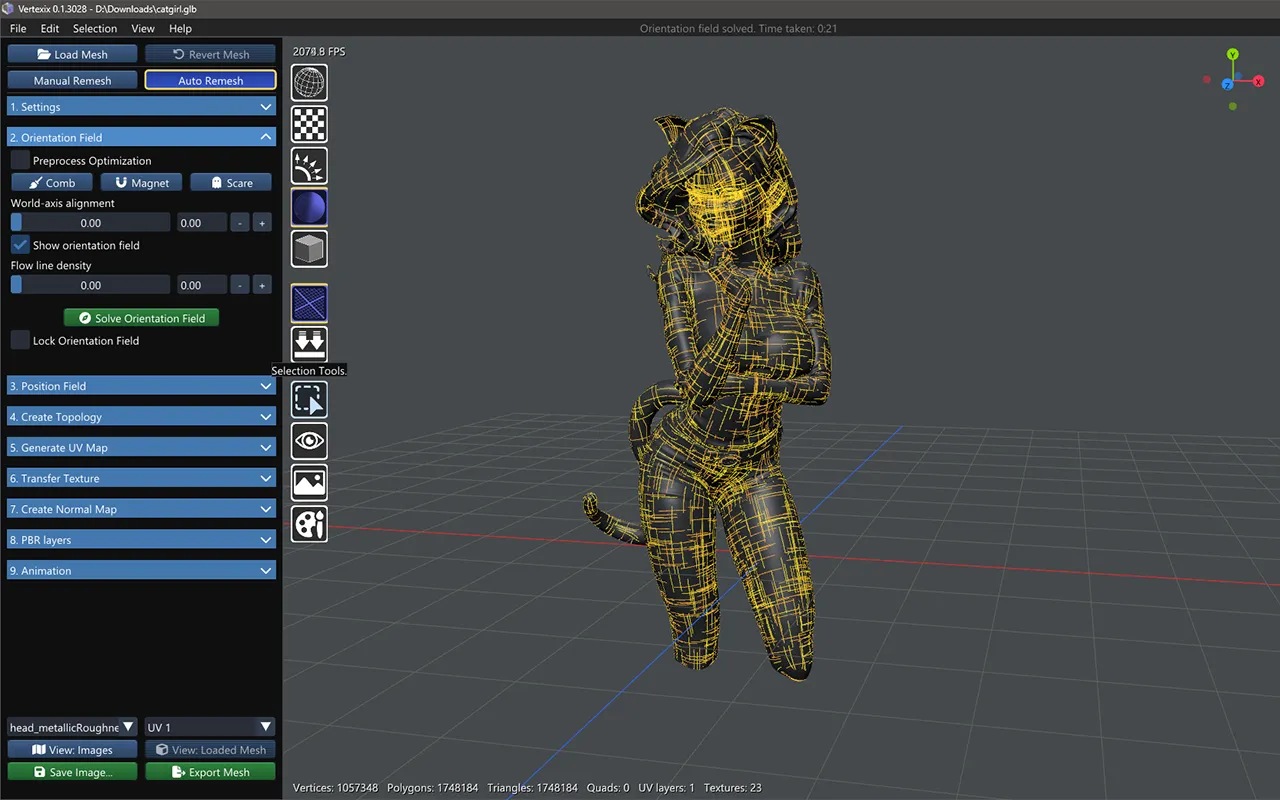
The Orientation Field is the first of Auto Remesh's two solved fields. It decides which way the future edge flow runs across the surface — before any actual mesh vertices exist — and you can guide it directly with three brush tools before solving.
Preprocess Optimization
Simplifies dense or noisy source geometry — a raw 3D scan is the typical case — down to a shape-faithful approximation before the solver ever sees it. Applied the next time the work mesh rebuilds.
Comb, Magnet & Scare tools
Only one of the three is active at a time; picking a different one clears the current selection.
- Comb — drag across the surface to comb the field in that direction. Click an existing stroke to remove it.
- Magnet — drag to move or create a singularity. Only available in Quads (4-RoSy, 4-PoSy) mode.
- Scare — drag to push singularities away from an area.
A stroke count and a Clear strokes button appear once you've made at least one stroke.
The field reflows as soon as you let go of a stroke — and when you click one away. It runs in the background, starting from the field as it is, so the area around the stroke turns to follow it and the rest settles. The status bar says Reflowing the field around your strokes... while it runs, and the view stays free: keep combing, and strokes you draw meanwhile are taken in by one more reflow straight after. On a dense model a reflow takes a few seconds. If the Position Field is already solved, it follows too. Magnet pins, by contrast, wait for the next Solve Orientation Field.
Comb and Scare strokes are hidden once the Position Field is solved. They are kept, and every later solve still follows them; they are only no longer drawn, so they stay out of the way of the Position Field (and a click no longer removes one you cannot see). A stroke you draw after that shows, reflows the field, and is hidden again when the Position Field follows. Clear strokes removes hidden ones too. Magnet pins and the Position Field's own strokes stay in view.
World-axis alignment
A slider from 0 to 1 that pulls the flow toward world vertical/horizontal so grid lines curve less. 0 is free/smoothest, 1 is rigid. Takes effect on the next solve — and your own Comb strokes still win over it wherever they overlap.
Show orientation field & Flow line density
Show orientation field toggles the flow-line overlay in the viewport. Flow line density is a purely visual setting, freely adjustable even before a solve — it's only shown before the position field takes over, since flow-line ribbons stop drawing once position singularities become the more useful overlay.
Solve Orientation Field & Lock Orientation Field
Solve Orientation Field is Auto Remesh's entry point into the whole pipeline — the Position Field can't be solved until this has run at least once. If Realtime Subdividing is on, clicking Solve first raises a confirmation, since you'd be solving against a live subdivided preview rather than a fixed shape.
Lock Orientation Field becomes available once solved, and freezes the current field against every re-solve path — the Solve button itself, and Move/Remove Singularity's own internal relax. It clears automatically if Target Vertex Count, Remesh Mode, or Realtime Subdividing changes, since any of those invalidates the field it was protecting.