
1. Settings
This accordion is shared with Manual Remesh's own Settings section, but two extra rows only appear here.
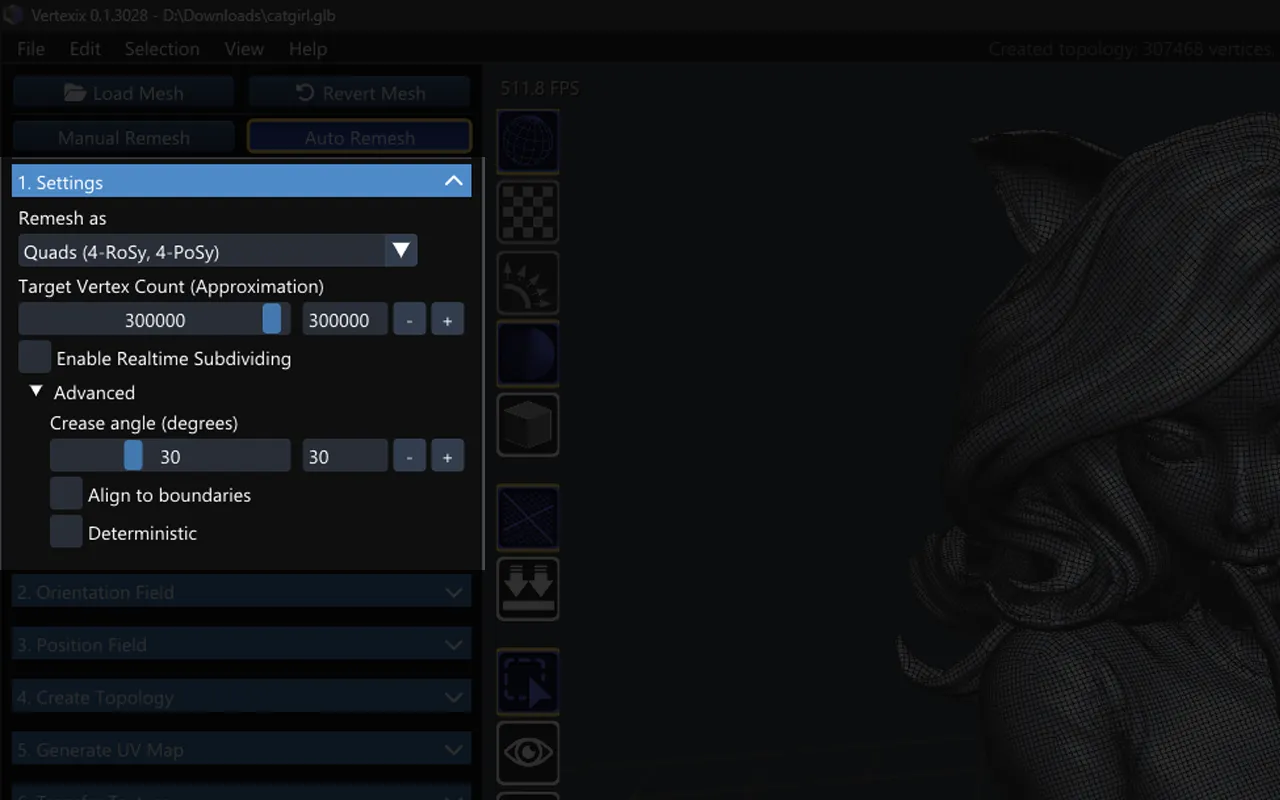
Remesh as
Triangles (6-RoSy, 6-PoSy) / Quads (2-RoSy, 4-PoSy) / Quads (4-RoSy, 4-PoSy) — feeds the field solver's own symmetry type.
Target Vertex Count (Approximation)
A logarithmic slider, 1–500,000. The actual scaling this applies internally is deliberately not shown as a hint — treat the number as an approximation, not an exact target.
Realtime Subdividing & Crease angle
Identical to the Manual Remesh Settings page — see 1. Settings for the full breakdown.
Advanced
Align to boundaries, Keep border and Deterministic are Auto-Remesh-only — they tune the flow-line-tracing solver itself and have no equivalent under Manual Remesh.
Align to boundaries
A model with open edges — a hole, a cut-off end, the rim of a sleeve or a cup — normally gets new topology whose lines meet those edges at whatever angle the smoothest flow happens to have. With Align to boundaries ticked, the open edges steer the flow instead: the new lines run along them, and an edge loop lies on each one. It takes effect on the next Solve Orientation Field; ticking or unticking it after a solve changes nothing until you solve again.
Keep border
Keep border goes one step further: after Create Topology, the new mesh's open edges are put exactly back on the model's own. Pieces that met along their edges — floor tiles, a sleeve and its cuff, parts retopologized one at a time — still meet afterwards. It switches Align to boundaries on for the solve as well.
The model's border corners are kept too, so a square hole stays square instead of having its corners cut off. A bend counts as a corner when it is sharper than Border corners sharper than (degrees), which appears under the checkbox (30 by default). A round edge, which bends a little at every point, is simply followed; only real corners are held.
Keep border keeps the new mesh quads: each corner is taken by moving the nearest new border point onto it, which changes no face. A point is added only where no border point is free to move — two corners closer together than one new face — and that face then becomes a quad and one triangle.
The thin-parts warning
After Create Topology, Vertexix checks how much of the model's surface the new mesh still covers. Parts much thinner than the new faces — wires, thin tubes, frames — can lose their sides at a low density, and then simply disappear. If more than 2% of the surface is no longer covered, the status bar says so: Warning: N% of the model's surface is not covered -- thin parts were lost. A higher Target Vertex Count keeps them. The new mesh is kept as made; raise the Target Vertex Count (Approximation) and create it again to keep those parts.