
Selecting & Linking Balls
Several balls can be selected at once — in one chain or in several — to grow new chains from all of them side by side, or to link them together.
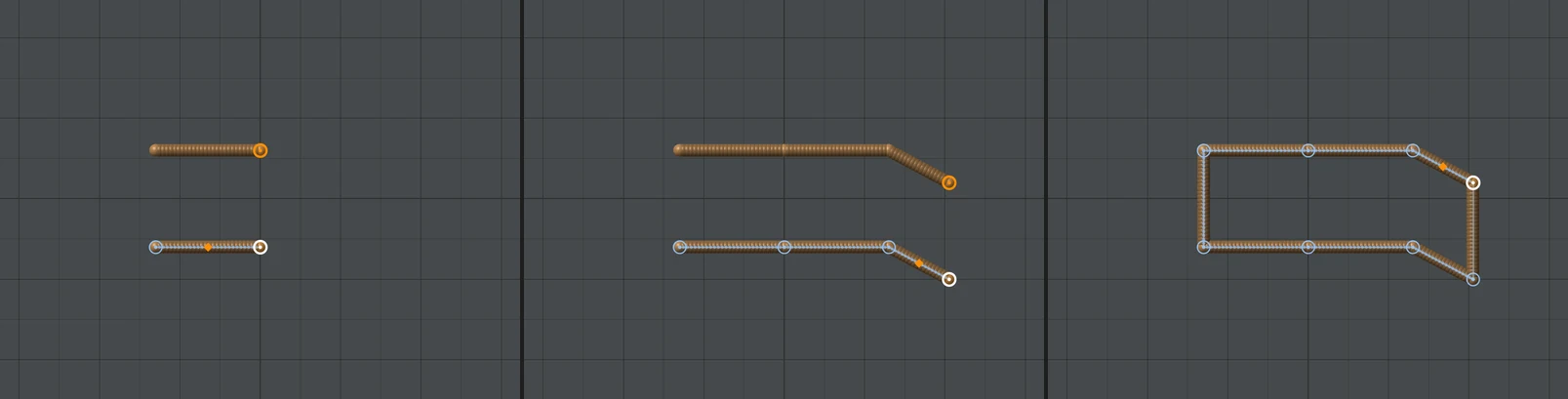
Selecting several balls
- Shift+click a ball to add it to the selection; it becomes the active ball and the others stay lit. Shift+click a selected ball to take it out again.
- The ball must be clicked, not dragged: a Shift+drag sizes the ball instead.
- A plain click on a ball that is not selected starts the selection over with just that ball; a plain click on a selected one keeps the selection and makes it the active ball.
- This works with the tool on and off, and across chains: their nodes are selected in the Voxel Tree with them.
Growing chains side by side
While several balls are selected, whatever you build is built from each of them. A Place click puts a new ball where you click, linked to the active ball, and a copy linked to every other selected ball, moved from it by the same amount — and dragging the new ball drags the copies with it. A Draw stroke or a Spline is laid from every selected ball the same way. The new balls stay selected, so the next click carries on with all of them.
Link Balls
Link Balls, in the Active Ball section, puts a new link from the active ball to each of the other selected balls. Its label counts them: Link Balls (1) with one other ball selected.
- Click the first ball.
- Shift+click the other ball, without moving the mouse.
- Click Link Balls.
- Balls of two different chains: the chains become one, the other chain hanging from the active ball by the ball you picked. Nothing moves.
- Balls already joined through the same skeleton: the link closes a loop, like a ladder's rungs or a frame. Links that close loops are always straight, and posing does not pull along them.
- Two balls that are already linked to each other are refused, with a message saying so.
Undo splits them again. To join whole chains without picking balls, use Join Chains.