
Symmetry with Mirror
A chain is made symmetric by the Voxel sidebar's Mirror, in the Modify accordion — the same Mirror that mirrors other shapes (see Mirror mode). The Sphere Chain page has no symmetry control of its own.
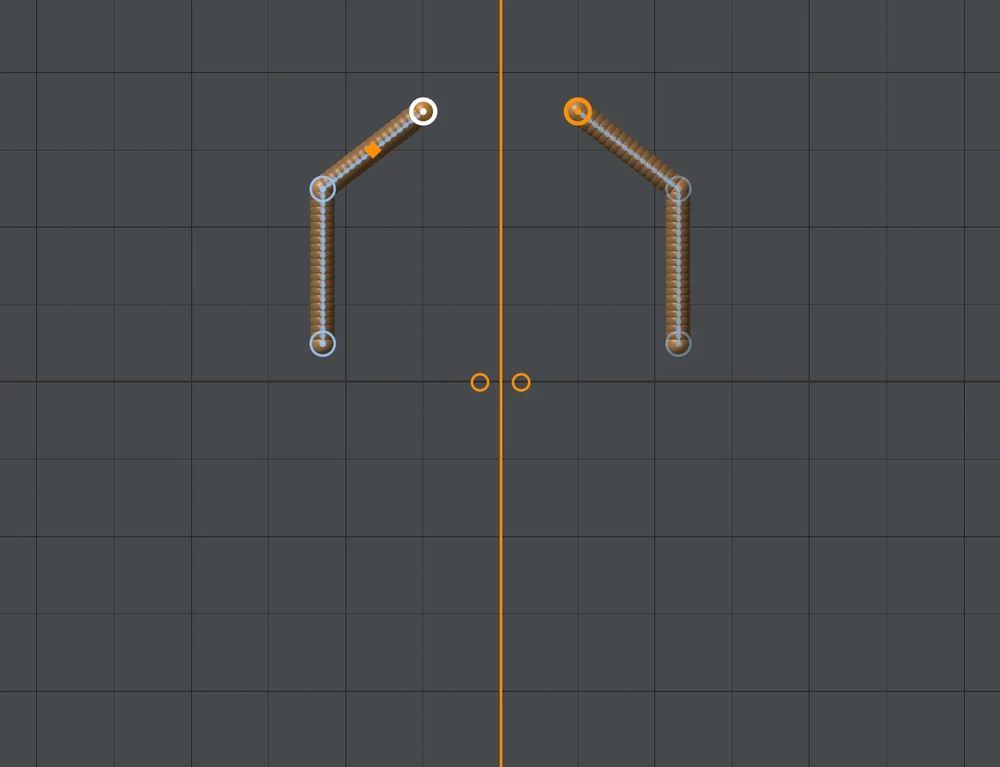
Mirror on
- Every chain mirrors across the Mirror's plane, with its own symmetry: balls on the plane stay single (a spine, a head), balls off it have a twin, and editing either side edits both.
- A chain drawn away from the plane is not moved: its mirrored half appears on the other side, and the two halves are one chain.
- A ball on the plane stays on it when you drag it; Ctrl+drag frees it.
- Posing keeps the symmetry: a spine on the plane turns only about the plane's normal.
- A chain mirrors across one plane. With more than one of X, Y and Z on, it uses the first.
Mirror off
Turning Mirror off keeps every ball you can see: the twins become balls of their own, and from then on edits are one-sided. Turning it back on joins the halves up again where they still match — balls you changed on one side stay as they are, and links you added between the halves are kept.
Mirror Selected still makes a separate, mirrored copy of a chain, as it does of any shape.