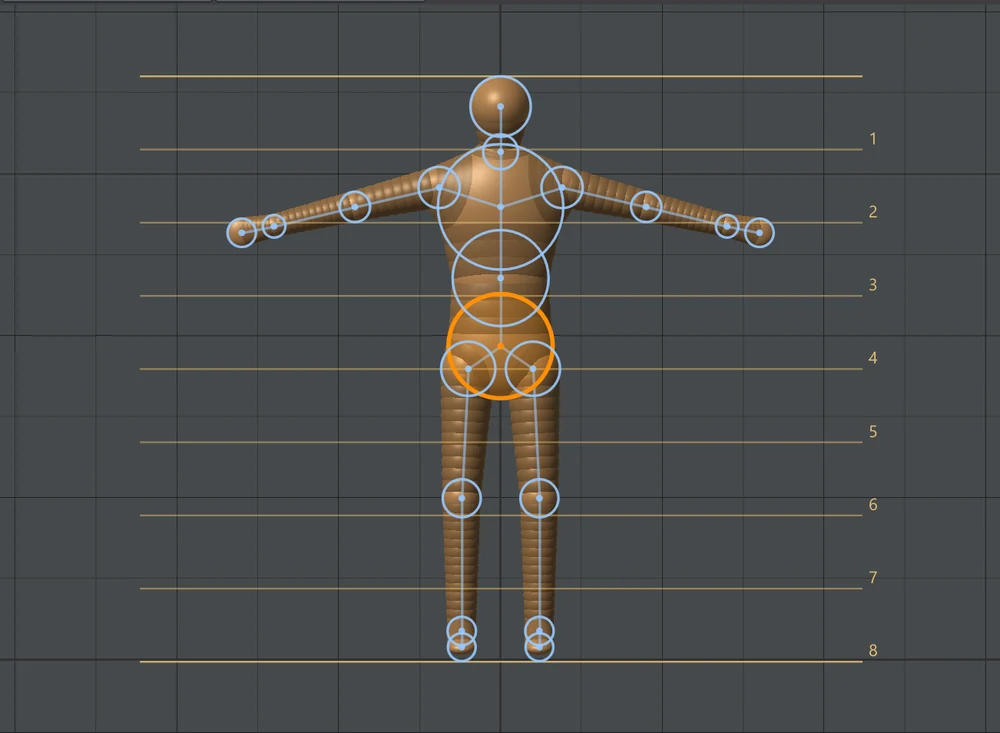
Chain Shape & Proportions
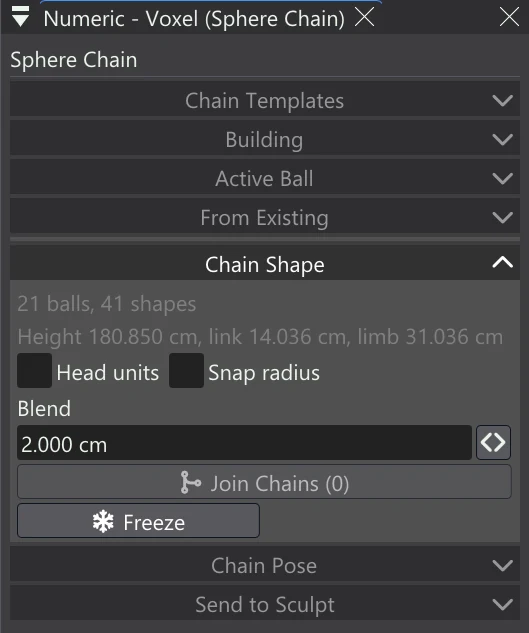
Chain Shape holds the settings of the whole chain: its proportions, how softly its balls fuse, and the buttons that join chains or turn them into ordinary shapes.
| Control | What it does |
|---|---|
| Readout | How many balls the chain has and how many shapes it makes; then its height, the active ball's link length, and the active limb's length — from the active ball up to the ball it branches from. |
| Head units | Eight bands over the chain's height in the Front, Side and Perspective views, numbered from the top: a figure eight heads tall. |
| Snap radius | [, ] and Shift+drag size the active ball in whole 5 mm steps. |
| Blend | How softly the balls and links fuse into each other. 0 is the exact hull, with a crease where links meet. A ball's Own blend overrides it. |
| Join Chains | Joins the other selected chains into this one (Shift+click them in the tree or a view): each hangs from this chain's nearest ball, as one skeleton. |
| Freeze | Makes the chain's balls and links ordinary shapes, to edit one by one. The chain stops being a chain; Undo brings it back. |