
Transfer Texture
This panel is identical whether you reach it from Manual Remesh or Auto Remesh. It resamples the loaded model's own textures onto the created topology's new UV layout — base color, metallic, roughness, ambient occlusion and emissive, all in one pass.
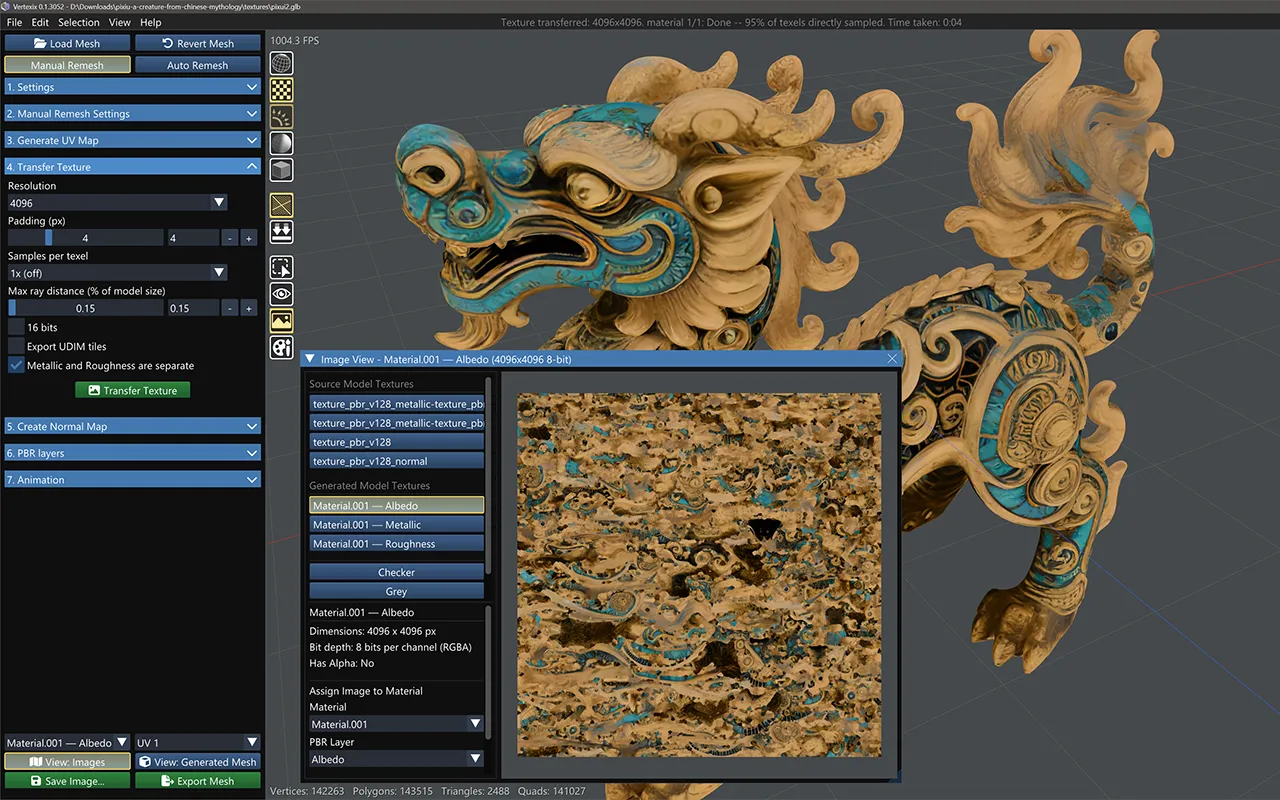
Which materials get baked
Pick materials first in Selection Tools' Select by Material list (it opens automatically if you skip straight to the button). A plain click selects one material at a time for a targeted bake; Ctrl+click toggles more rows on to bake several materials together in a single pass.
A mesh with only a single material never needs an explicit pick — Transfer Texture targets it automatically. Once a mesh has more than one material, at least one must be selected: leaving the list empty does not bake every material at once, it stops the action with “Select a material in Selection Tools first.”
Whichever materials are selected, one Transfer Texture pass bakes all of their PBR channels together — Base Color, Metallic, Roughness, Occlusion and Emissive. Normal maps are handled separately by Create Normal Map instead, since a plain texture resample would misinterpret a tangent-space normal map's encoded bytes under the new mesh's own, different tangent frame.
Quality controls
- Resolution — an edition-capped list: up to 1024 on Free, 2048 on Light, 8192 on Regular and 32768 on Ultra.
- Padding (px) — extra dilation so bilinear filtering doesn't leak background color across seams.
- Samples per texel — 1× (off) / 4× / 9×, capped by edition; casts a grid of rays per output texel instead of one.
- Max ray distance (% of model size) — how far to search toward and away from the surface for the original geometry.
- 16 bits — higher-precision file export only (Ultra, needs OpenImageIO); the live preview is always 8-bit.
Export-time options
Two checkboxes here govern how Export Mesh writes the result: Export UDIM tiles and Metallic and Roughness are separate — see UDIM Tiles & Metallic/Roughness Options for what each format actually does with them.
Transfer Texture
Requires an existing UV map and a source texture on the loaded model.